


Todo artista 3D, seja um profissional experiente ou um entusiasta, sabe que construir uma cena complexa do zero consome muito tempo. No mundo acelerado do design 3D, trabalhar de forma inteligente é tão importante quanto trabalhar duro. Encontrar um download de modelo 3D do Blender confiável pode economizar incontáveis horas de modelagem, UV unwrapping e texturização.
Felizmente, a internet está repleta de recursos incríveis para o Blender. No entanto, com tantas opções disponíveis, saber onde procurar – e como usar adequadamente o que você encontra – é crucial. Este guia completo o guiará pelas principais plataformas para encontrar ativos 3D, como navegar por licenças e as melhores práticas para importar e otimizar esses arquivos em seu fluxo de trabalho.

Principais sites para obter ativos do Blender
Construir uma biblioteca pessoal robusta de ativos é uma virada de jogo. Abaixo estão alguns dos repositórios mais conceituados para arquivos .blend e formatos 3D universais.
1. Poly Haven
Anteriormente conhecido como HDRI Haven, Poly Haven é um pilar da comunidade 3D. Cada ativo neste site é totalmente gratuito e está sob a licença CC0 (domínio público). Embora sejam famosos por seus HDRIs, sua biblioteca de texturas e modelos 3D de alta qualidade está crescendo rapidamente. Este é, sem dúvida, o melhor lugar para encontrar modelos 3D do Blender livres de quaisquer restrições legais.
2. BlenderKit
BlenderKit é único porque é um add-on construído diretamente no Blender. Você nem precisa abrir seu navegador da web para encontrar o que precisa. Simplesmente digitando em uma barra de pesquisa dentro do software, você pode arrastar e soltar ativos diretamente em sua viewport. Ele oferece uma seleção massiva de ativos premium e gratuitos do Blender, tornando-o um salva-vidas absoluto para prototipagem rápida.
3. Sketchfab
Sketchfab é o YouTube dos modelos 3D. Ele apresenta um visualizador interativo em tempo real, permitindo que você inspecione a topologia e as texturas de um modelo antes de iniciar um download de modelos do Blender. Ele tem uma comunidade massiva de criadores que oferecem milhares de modelos gratuitos do Blender, juntamente com opções premium.
4. CGTrader e TurboSquid
Quando você precisa de ativos altamente específicos e de nível profissional, esses dois gigantes são as plataformas de referência. Embora ofereçam brindes, sua força reside em seus mercados premium.

Mercados pagos vs. sites de modelos gratuitos
Ao construir sua cena, você inevitavelmente enfrentará uma escolha: deve confiar em bibliotecas gratuitas ou investir em modelos premium?
Comparar mercados pagos com sites de modelos gratuitos geralmente se resume a três fatores: tempo, controle de qualidade e exclusividade.
-
Sites de modelos gratuitos: São excelentes para objetos de fundo, basemeshes de corpo, adereços comuns e para praticar suas configurações de iluminação. São, sem dúvida, a fonte dos melhores ativos gratuitos do Blender para iniciantes que estão aprendendo o básico. No entanto, a qualidade pode ser inconsistente, e você pode gastar tempo extra limpando geometria bagunçada ou corrigindo problemas de escala.
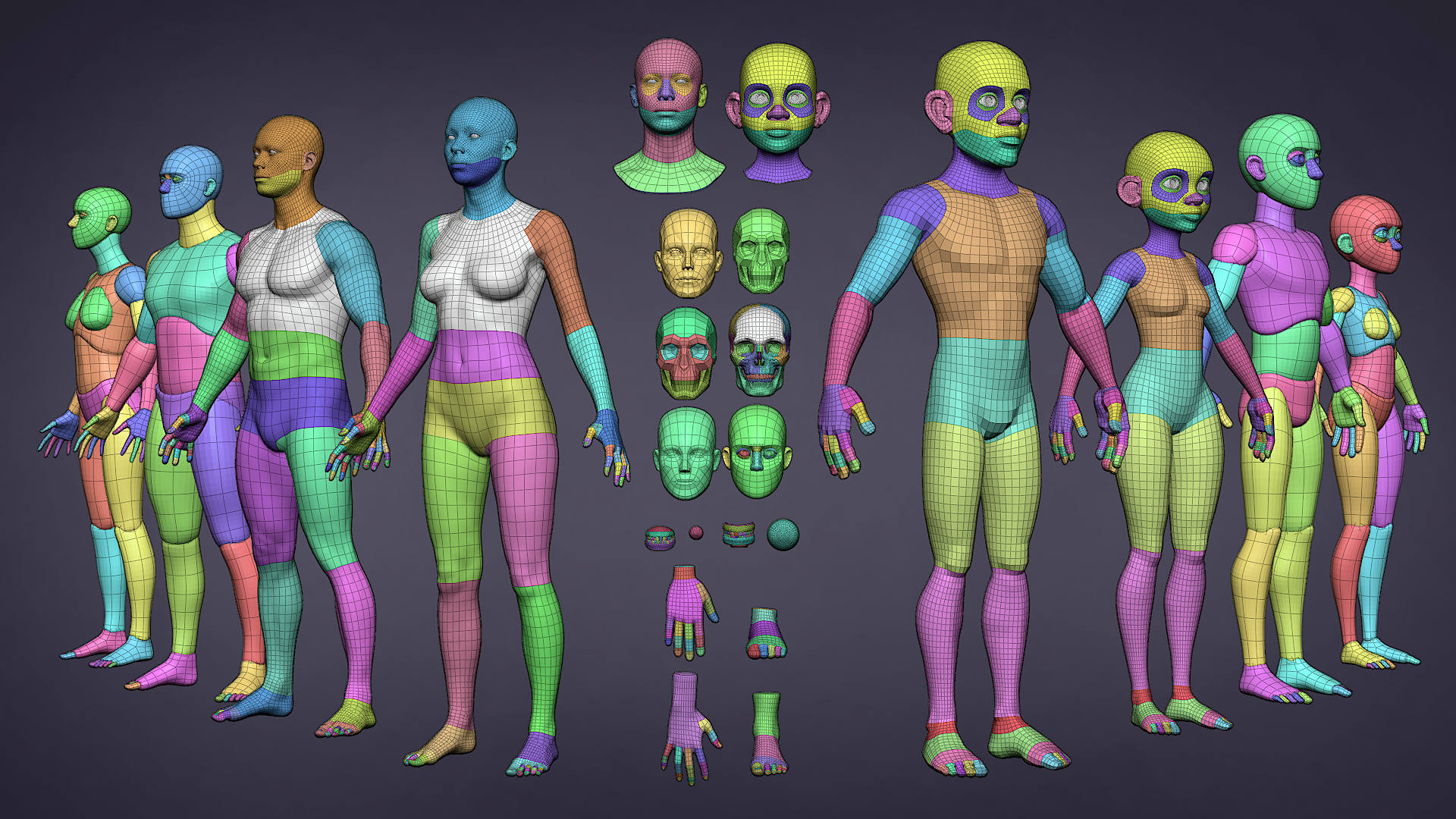
https://www.blender.org/thanks/
-
Mercados pagos: A compra de um modelo geralmente garante topologia limpa, UV unwrapping lógico e materiais plug-and-play. Se você está trabalhando em um prazo apertado para um cliente, gastar US$ 15 em um ativo premium é infinitamente mais barato do que gastar quatro horas modelando-o você mesmo.
Encontrando os modelos certos para o seu nicho
Nem todos os modelos 3D são criados iguais. O tipo de ativo que você precisa depende muito do seu fluxo de trabalho específico.
Arquitetura e Design de Interiores
Se você está visualizando imóveis, o realismo é inegociável. Você precisa de ativos de archviz fotorrealistas para o Blender. Procure plataformas como Chocofur ou iMeshh, que são especializadas em móveis, decoração e elementos arquitetônicos 3D de código aberto de alta qualidade. Esses modelos são geralmente dimensionados meticulosamente para dimensões do mundo real e apresentam materiais altamente detalhados.
Desenvolvimento de jogos
Motores de jogo como Unity e Unreal Engine exigem geometria otimizada para manter altas taxas de quadros. Se você está construindo um jogo, deve procurar especificamente por modelos de baixa poligonagem para desenvolvimento de jogos. Esses ativos usam menos polígonos e dependem de um mapeamento de textura inteligente (como mapas normais) para simular detalhes complexos sem sobrecarregar o sistema.
Criação de Mundos e Arte Conceitual
Para artistas conceituais que criam cidades de ficção científica massivas ou vastas paisagens de fantasia, construir tijolo por tijolo é impossível. Nesses casos, utilizar kits de ambiente 3D sem royalties (frequentemente chamados de conjuntos "kitbash") é a prática padrão da indústria. Esses kits fornecem edifícios modulares pré-fabricados, tubos, estradas e folhagem que você pode montar para criar um mundo em minutos.
Animação de Personagens
Se você quer praticar animação, simplesmente baixar uma malha 3D estática não o ajudará. Você pode se perguntar: o que é um modelo de personagem rigged? Um modelo "rigged" contém um esqueleto digital (uma armadura) ligado à malha 3D através de um processo chamado pintura de pesos. Isso permite que os animadores posem e movam o personagem naturalmente. Sites como Mixamo ou Blender Studio oferecem fantásticos personagens rigged gratuitos para praticar.

Navegando por Licenças de Ativos 3D
Antes de executar um download de modelo 3D do Blender, você deve verificar a licença — especialmente se planeja lucrar com sua renderização final. Entender as licenças comerciais vs. Creative Commons é vital para se proteger legalmente.
-
CC0 (Domínio Público): Você pode usar o modelo para qualquer coisa, incluindo projetos comerciais, sem dar crédito.
-
CC-BY (Atribuição): Você pode usar o modelo comercialmente, mas deve creditar o criador original.
-
Apenas para Uso Editorial: Esses modelos geralmente apresentam logotipos de marcas registradas do mundo real (como um iPhone da Apple ou um carro Ford). Você pode usá-los em artigos de notícias ou conteúdo educacional, mas não pode usá-los para vender um produto ou em um videogame comercial.
-
Royalty-Free Padrão: Comumente encontrado em sites pagos. Você paga uma vez e pode usar o modelo em vários projetos comerciais, mas não pode revender o próprio modelo 3D puro.
Como importar e gerenciar modelos baixados
Encontrar ótimos modelos do Blender é apenas metade da batalha. Colocá-los em sua cena e fazê-los parecer bons é onde as verdadeiras habilidades técnicas entram em jogo.
Colocando os ativos em sua cena
O método que você usa para trazer seus novos ativos para o Blender depende inteiramente do formato de arquivo que você baixou.
Para arquivos nativos do Blender (.blend): Se o seu ativo baixado já for um arquivo do Blender, você não deve "importá-lo". Em vez disso, você precisa anexá-lo. Anexar objetos de outro arquivo do Blender traz a malha, seus materiais e suas configurações de nós perfeitamente para seu espaço de trabalho atual.
-
Como fazer: Vá em Arquivo > Anexar, localize o arquivo .blend baixado, clique na pasta "Objeto" dentro dele e selecione os itens que deseja trazer.
Para formatos universais (.fbx, .obj, .gltf): Se você baixou um ativo de um site 3D geral, ele provavelmente vem como um FBX ou OBJ. Saber como importar FBX para o Blender é uma habilidade fundamental.
-
Como fazer: Vá em Arquivo > Importar > FBX (.fbx), encontre seu arquivo e clique em importar. Lembre-se de que arquivos FBX de softwares como Maya ou 3ds Max podem importar com escala incorreta (muitas vezes 100 vezes muito grandes ou muito pequenos). Sempre pressione 'S' para escalar e 'Ctrl+A' para aplicar a escala depois.
Solução de problemas comuns de importação
Ativos externos raramente funcionam perfeitamente logo de cara. Aqui estão as melhores maneiras de corrigir problemas comuns.
As temidas texturas rosa choque Todo usuário do Blender já experimentou importar um modelo e descobrir que ele está brilhando em rosa néon. Isso acontece quando o Blender perde o caminho do arquivo para as texturas de imagem. Corrigir texturas quebradas em modelos baixados é, na verdade, muito simples.
-
A solução: Vá em Arquivo > Dados Externos > Encontrar Arquivos Ausentes. Navegue até a pasta onde você descompactou seu download de modelo 3D do Blender (que deve conter as imagens de textura) e clique em "Encontrar Arquivos Ausentes". O Blender irá automaticamente religar todas as texturas.
Organizando seu projeto Para evitar que essas texturas rosa apareçam quando você move seu projeto para um novo computador, você deve se sentir confortável gerenciando as dependências de arquivos ausentes no Blender. Antes de salvar seu projeto final, sempre vá em Arquivo > Dados Externos > Empacotar Recursos. Isso incorpora as texturas baixadas diretamente em seu arquivo .blend, garantindo que elas nunca se percam.
Otimizando Materiais e Renderizações
Finalmente, você deve garantir que os materiais em seus ativos importados interajam corretamente com os motores de iluminação do Blender.
Corrigindo Materiais PBR Ao importar formatos não nativos, a compatibilidade de material PBR em ativos baixados pode estar ligeiramente desativada. A maioria dos ativos modernos vem com mapas Albedo (Cor), Roughness, Normal e Metallic.
-
Dica Crucial: Abra o Editor de Shaders. Certifique-se de que a configuração "Espaço de Cor" em seus nós de textura de imagem de Roughness, Metallic e Normal esteja definida como Não Cor. Somente o mapa base de Cor (Albedo) deve ser definido como sRGB. Se você perder esta etapa, seus modelos parecerão excessivamente brilhantes ou apresentarão artefatos estranhos e irregulares.
Tornando Ativos Amigáveis para Renderização Ativos externos de alta qualidade podem ser incrivelmente densos. Otimizar ativos 3D externos para ciclos é essencial para evitar que seu computador trave durante a renderização final.
-
Decimar: Se um acessório de fundo tem 100.000 polígonos, adicione um modificador Decimate para reduzir sua geometria. Você não notará a diferença de longe.
-
Instâncias: Se você estiver baixando um único modelo de árvore e quiser criar uma floresta, não duplique a árvore usando Shift+D. Em vez disso, use Alt+D para criar um duplicado vinculado (uma instância). Isso informa ao Blender para calcular a memória da malha apenas uma vez, economizando enormes quantidades de RAM.
-
Simplificar: Na guia Propriedades de Renderização, ative "Simplificar" para limitar globalmente as resoluções máximas de textura durante a visualização na viewport, acelerando drasticamente seu fluxo de trabalho.
Conclusão
O fluxo de trabalho 3D moderno é todo sobre eficiência. Aproveitar um download de modelo 3D de alta qualidade do Blender não é "trapacear" — é o padrão da indústria. Ao utilizar repositórios confiáveis, compreender as nuances do licenciamento digital e dominar as etapas técnicas de anexação e otimização de materiais, você pode elevar sua arte a um nível profissional em uma fração do tempo.
Comece a explorar essas plataformas hoje mesmo, mantenha sua biblioteca pessoal de ativos atualizada e veja como seus bloqueios criativos desaparecem, deixando-o com mais tempo para se concentrar na parte divertida: dar vida à sua imaginação.
Sr. Nunez 3D


